File size & quality
Reduce an ID Photo Below 200 KB: Size and Quality Guide
Set the required pixels first. Then use the largest file-size limit your form allows, and inspect the saved photo before uploading it.
The actual results
Same photo. Same pixels. Three limits.
These JPEGs were saved in PicMilo from the same sample photo and crop. Only the file-size limit changed. Open the files to compare them at the same viewing size.
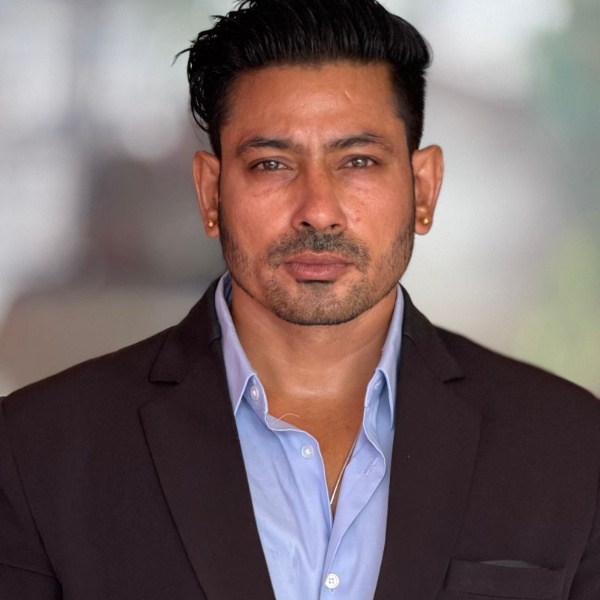
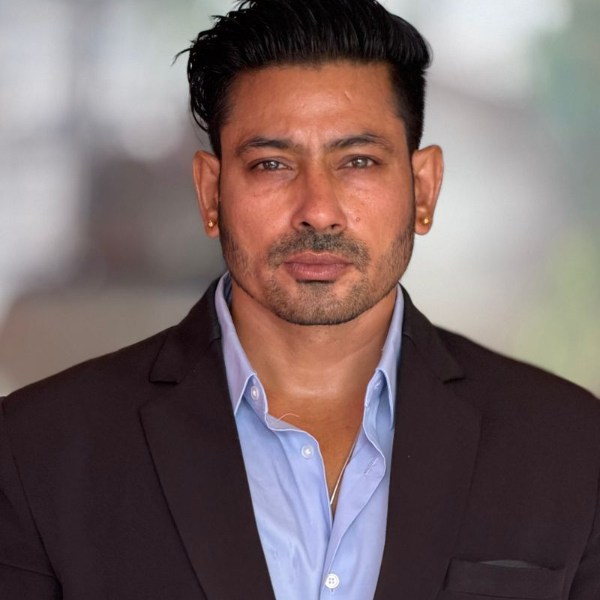
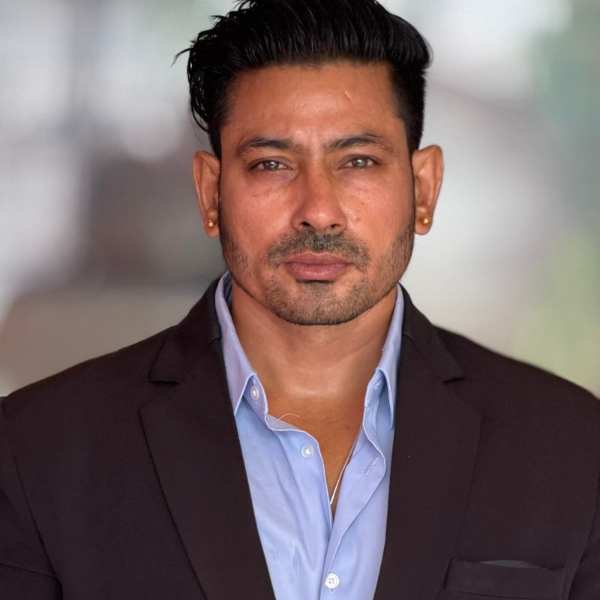
Compare the face at full pixel size
The same area at 100% size: one image pixel per CSS pixel.
Compression examples, not examples of accepted document photos. The 600×600 setting is for this comparison; it is not a rule for every ID or passport.
| Selected limit | Dimensions | Saved file size |
|---|---|---|
| 200 KB | 600 × 600 px | 78.47 KB (78,470 bytes) |
| 50 KB | 600 × 600 px | 48.69 KB (48,690 bytes) |
| 20 KB | 600 × 600 px | 19.81 KB (19,805 bytes) |
Here, 1 KB = 1,000 bytes. The byte counts come from these saved files.
A lower limit does not always change the image. If the encoder can produce the same file under both limits, the output and its quality may be identical.
Sample photo: Abhishek Shekhawat / Pexels. Pexels License
Used to demonstrate compression; no endorsement is implied.
Pixels and KB solve different problems.
A request for “under 200 KB” describes the file’s storage size. A request for “600×600 pixels” describes the image dimensions. Meeting one does not automatically meet the other. Check your form for both, along with the permitted file format.
There are two common ways to make a photo smaller. Reducing its pixel dimensions leaves fewer pixels to describe the face. Increasing JPEG compression keeps those dimensions but discards more image information. Strong compression can soften hair and create blocks or rough edges. The right choice depends on what your submission permits.
If your form specifies exact pixels, keep them. Start with a sharp source photo, avoid excessive zoom, and change the JPEG file-size limit separately. Increasing pixels later will not recover detail that was missing from the source.
Technical reference: browser JPEG quality settings · MDNHow to save an ID photo below 200 KB.
Set the required dimensions.
Choose an appropriate preset or enter the required width and height under Custom. PicMilo crops to the selected shape, so position the face and check what falls outside the frame. It is not a general compressor that preserves every source photo’s original proportions.
Choose a 200 KB limit.
PicMilo treats this as a maximum of 200,000 bytes, not a target to fill exactly. A 78 KB result already meets that ceiling. Do not choose 20 KB just to make the number smaller if your form permits 200 KB. A form may also specify a minimum size; check that separately.
Inspect the saved JPEG.
Check the face, hair and edges at a useful viewing size. Confirm the file’s dimensions and actual size, then upload that file. Avoid repeatedly saving an already compressed JPEG or sending it through a messaging app that may resize it.
What if it still looks blurry?
Compare it with the original at a similar size. If the original is already out of focus, compression settings cannot restore its detail. Try a sharper source and less cropping. If the source looks clear but the output does not, use a higher file-size limit only if your form allows it.
PicMilo adjusts JPEG quality while keeping your chosen output pixels. If even its lowest quality cannot fit the limit, it stops the save instead of silently shrinking the dimensions. You can raise the limit or reduce the dimensions only within your submission’s rules. Results can vary with the photo and the browser’s JPEG encoder.
Under the limit is only one check.
A small enough file can still be rejected for its dimensions, format, composition, lighting or background. Use the receiving authority’s current instructions for the specific document and upload route. These examples show file compression; they do not check whether a portrait is suitable for an official application.
Keep your original file. Work from it when you need another crop or size, and judge the finished JPEG rather than the number on the limit selector.